Video · 8 min read
How to Claim Your Business on ChatGPT: Business Hub, Step by Step
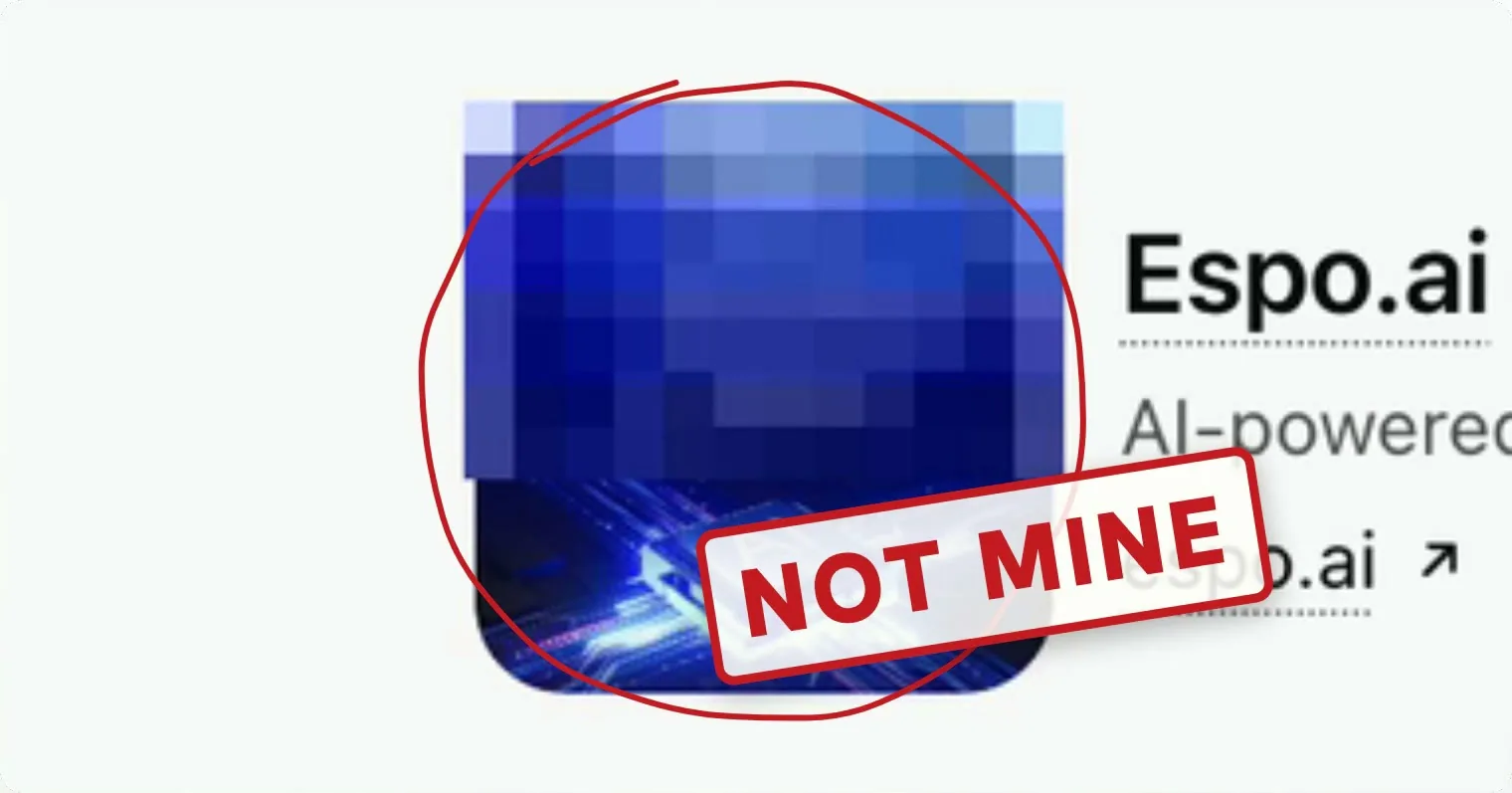
If you own a business, ChatGPT is already talking about you. When someone asks about you, it can show a card with your name, a description and a photo, and nobody checked with you first. On mine, the photo belonged to a different company.
OpenAI opened ChatGPT Business Hub on November 10, 2026. It's free and still in beta, and it's where you claim that listing, or add your business if ChatGPT doesn't have one, so ChatGPT has your facts. I submitted mine on November 11. Here's the whole process from the video, written out, including the three places I got stuck.
Quick answer: how to claim your business on ChatGPT
Go to chatgpt.com/business-hub, search your business name, and either pick your listing or click Create. Prove it's yours (for my website, that meant adding a DNS record), choose a category, add a short description and submit. A new listing is saved as a draft. It's published only after an ID check and OpenAI's approval.
The five steps:
- Check what ChatGPT says about you now.
- Read the terms before you search.
- Find your listing, or create one.
- Verify that it's yours.
- Fill in what you do, and submit.
What it won't do: claiming doesn't buy you a better spot in ChatGPT's answers. The terms make no promise of visibility, traffic or sales, and I won't either. Do it so ChatGPT has your facts.
The screens below are from my claim on November 11, 2026. It's a beta, so expect yours to look a little different.
What to have ready
- Your own ChatGPT login. Whoever claims the business does an ID check at the end, so don't use a shared account.
- Your government-issued ID, for that check. OpenAI's help page says it may also ask for business registration information and proof you're allowed to act for the business.
- Access to your domain's DNS, if you have a website. Mine's at GoDaddy. Yours might be at Squarespace, Cloudflare or wherever you bought the domain.
- A finished description of 300 characters or less, sitting in a notes app. Trap 2 explains why.
- An inbox you can check right now. A code goes there.
- Time to finish in one sitting. The DNS record expires if you stop halfway (Trap 1), and going back can wipe your draft (Trap 3).
Step 1: Check what ChatGPT says about you now
Get a baseline before you change anything.
- In ChatGPT, open a temporary chat.
- At the top, change Personalized to Unpersonalized. That setting skips your memory, plugins and custom instructions, so you see something close to what a stranger would.
- Paste this in, with your business name:
What do you know about [your business name]?
- Take a screenshot. You'll want it later, to compare.
Most of what it said about my business was right. The card was the problem: the picture on it came from another company.
Step 2: Read the terms before you search
Open chatgpt.com/business-hub in your browser. I couldn't find it in my sidebar, so I typed the address.
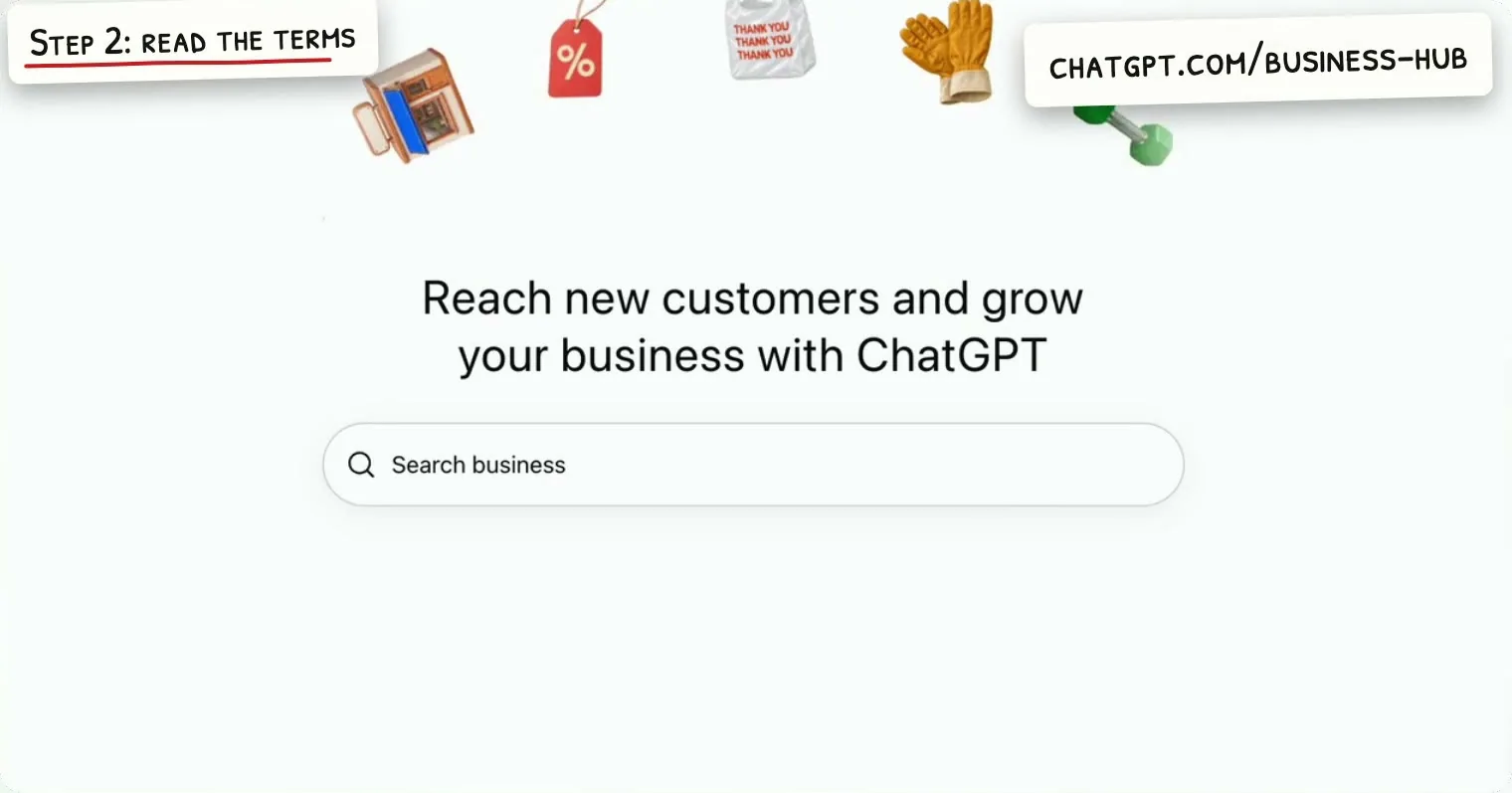
Before you touch the search box, read the line at the bottom of the page. Business Hub treats continuing, and that includes typing a search, as accepting OpenAI's Businesses in ChatGPT Terms.
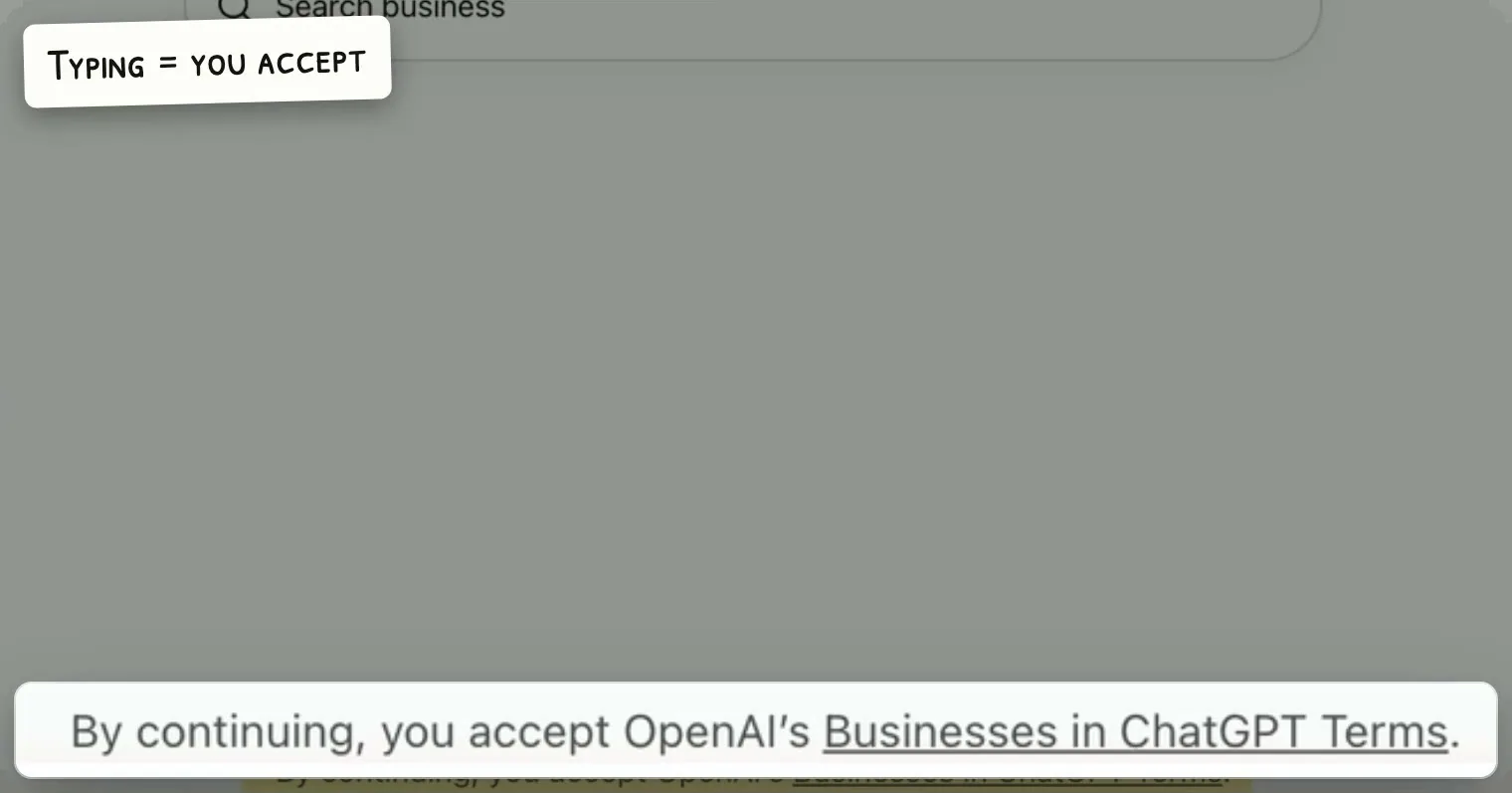
I'm not your lawyer. Read the Businesses in ChatGPT Terms yourself before you type. These are the parts I'd want any business owner to know:
- You're signing for the company. You're confirming you have the authority to bind the business. If a partner or your boss makes that call, ask them.
- A listing can exist whether you claim it or not. OpenAI can keep and show a listing about you either way, and even after you claim it, OpenAI can supplement, edit or replace what you send (section 4.1).
- ChatGPT may call your business. Its AI assistant can phone you for its users, for things like hours or reservations. You can opt each number out at realtime.chatgpt.com/stopcalls (section 4.1).
- Section 10 is the one to read twice. In short, you agree not to sue OpenAI, and you release claims, over what you submit, anything ever published on websites you or your affiliates own, and your other content online. Claims that OpenAI broke these terms are carved out.
- Nothing is guaranteed: not visibility, placement, traffic or sales (section 8).
I read all of it and accepted for my company. That's your decision to make, not mine.
Step 3: Find your listing, or create one
Search for your business by name.
- It's there: select it. That's the listing you claim. Chains and franchises can show up location by location, so pick only the location you actually run. Never claim a business that isn't yours.
- It's not there: you'll get a Create option. My search turned up a few other businesses with Espo in the name, none of them mine, so I created a new one. Odd, since ChatGPT had just shown me a card for us, but that's how it went.
Next it asks whether customers reach you at a physical location or through a website. My business runs online, so I chose website and entered my web address.
Not every business is eligible yet. OpenAI says it depends on where your business is and what kind it is, and for now local stores and restaurants can only claim a U.S. listing that already exists.
Step 4: Verify that it's yours
Because I was creating a new online business, Business Hub gave me one way to verify: add a TXT record to my domain's DNS. The screen shows the record's name and value, with a button to copy each.
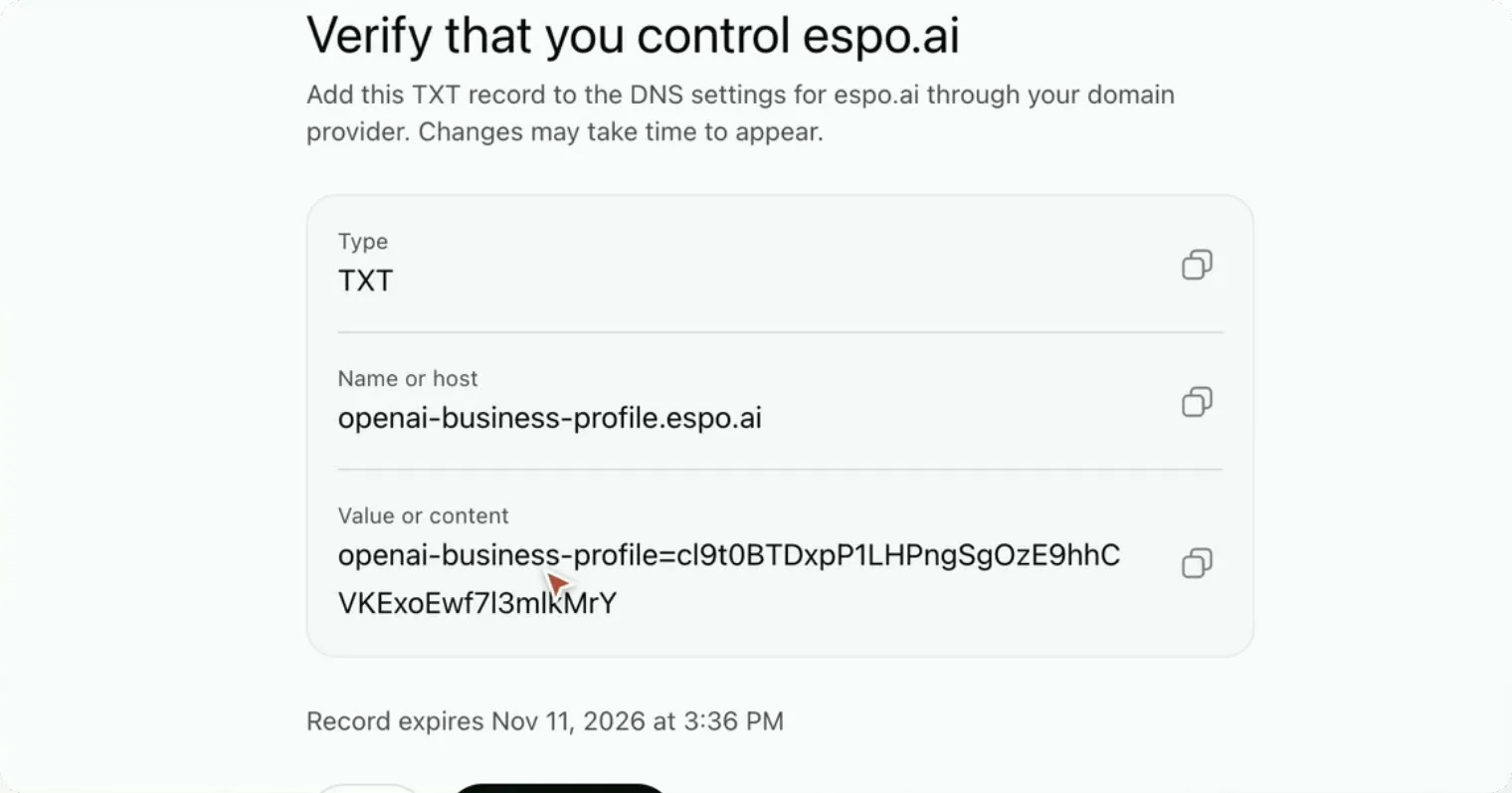
- Copy both pieces from Business Hub.
- Log in to your domain host. In GoDaddy I opened DNS, chose Add New Record, set the type to TXT, pasted in the name and the value, and saved.
- GoDaddy asked for a texted security code before it saved. Expected. Nothing went wrong.
- Go back to Business Hub and click Verify domain.
Not verified on the first click? Give it a minute and hit Check again. DNS updates don't land everywhere at once. My second check went through, and I've left the record in my DNS since.
If you're claiming a listing that already exists, you may get other options. OpenAI's help page mentions a code sent to the business phone or business email, or Shopify. Go with whatever your screen offers.
Step 5: Fill in what you do, and submit
- Category. Start typing to search the list. Nothing fit my business exactly, so I chose Software company. Business Hub then suggested two real estate categories. I'm not a real estate agent, so I skipped them. Choose the category that's true for you.
- Description. Paste the one you wrote ahead of time (see Trap 2). Keep it plain: what you do, and where.
- Contact. Enter an email you can get into right away, then type in the code it sends.
- Delivery and returns. These read like they were built for shops. For my service business I picked "We don't offer delivery" and, since a return policy is required, "Returns not accepted."
- Submit.
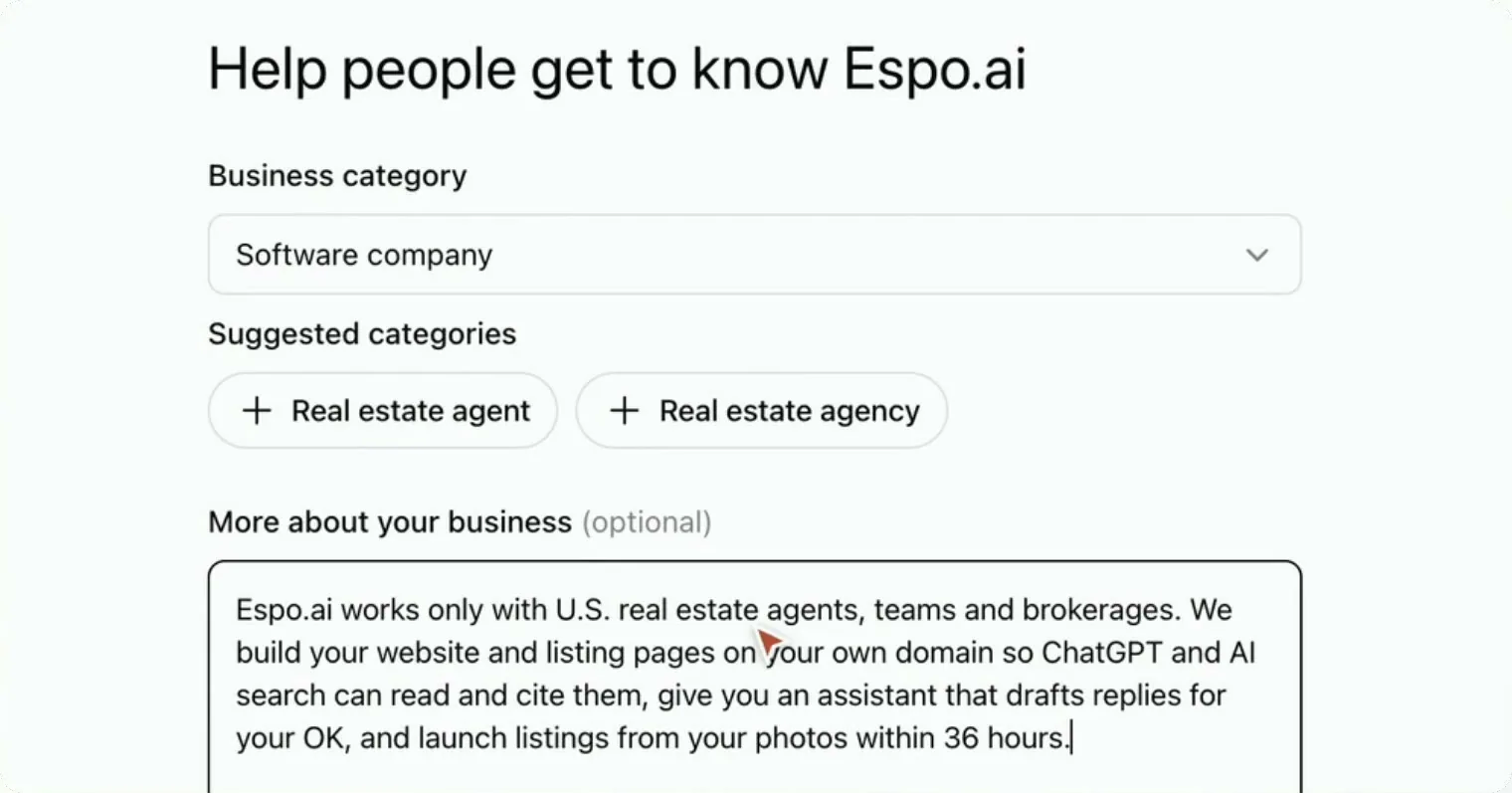
That's the whole form. There's no place for a logo or cover photo yet. Those come after the ID check.
The three traps
I hit all three, so you don't have to.
Trap 1: the DNS record expires
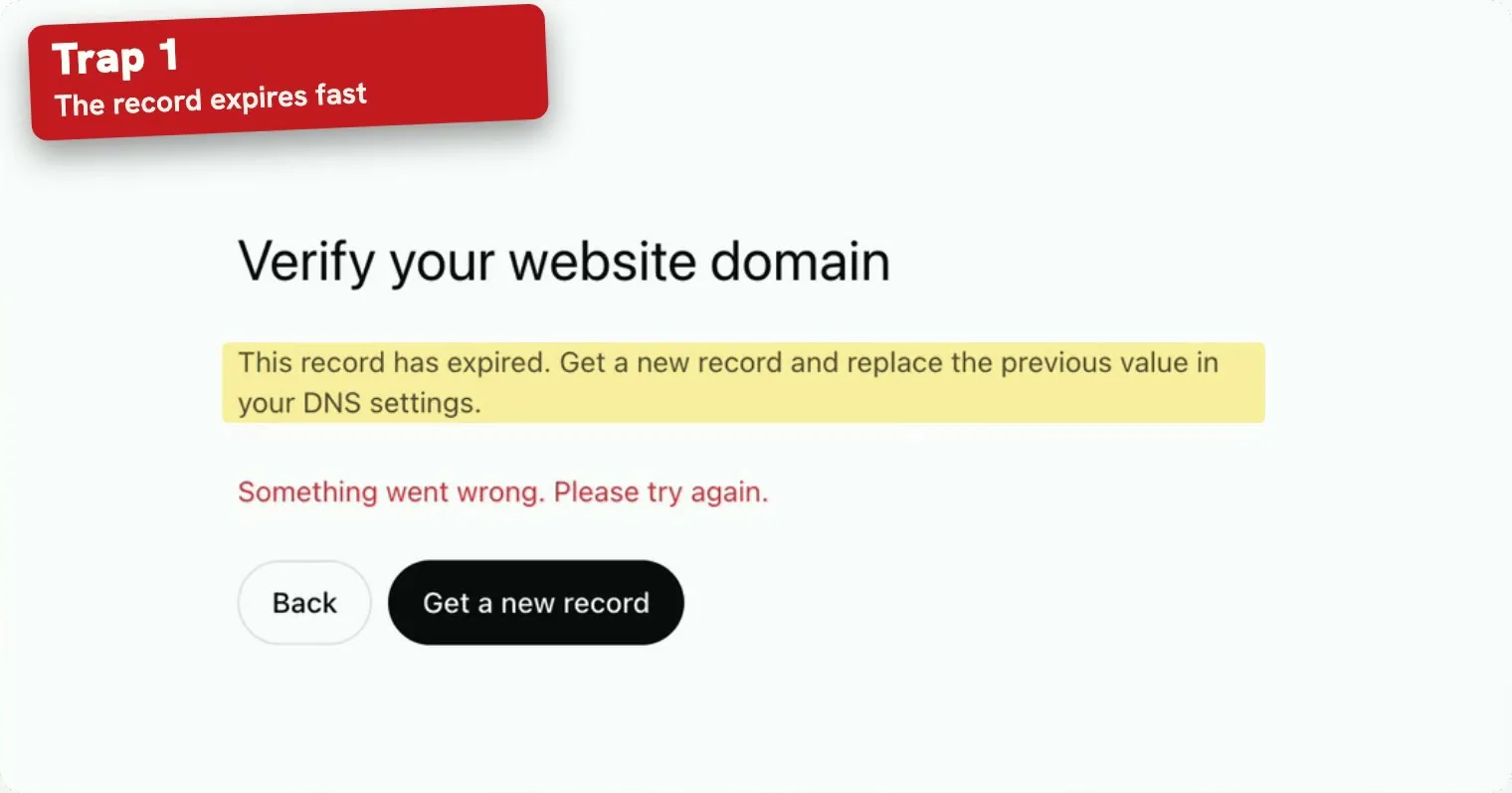
The TXT record only works for a short window, about 30 minutes on mine. Mine ran out before I'd saved it at GoDaddy, so verifying failed with "This record has expired." The fix is Get a new record, then update the value in your DNS. Do step 4 start to finish without a break.
Trap 2: the description gets cut off
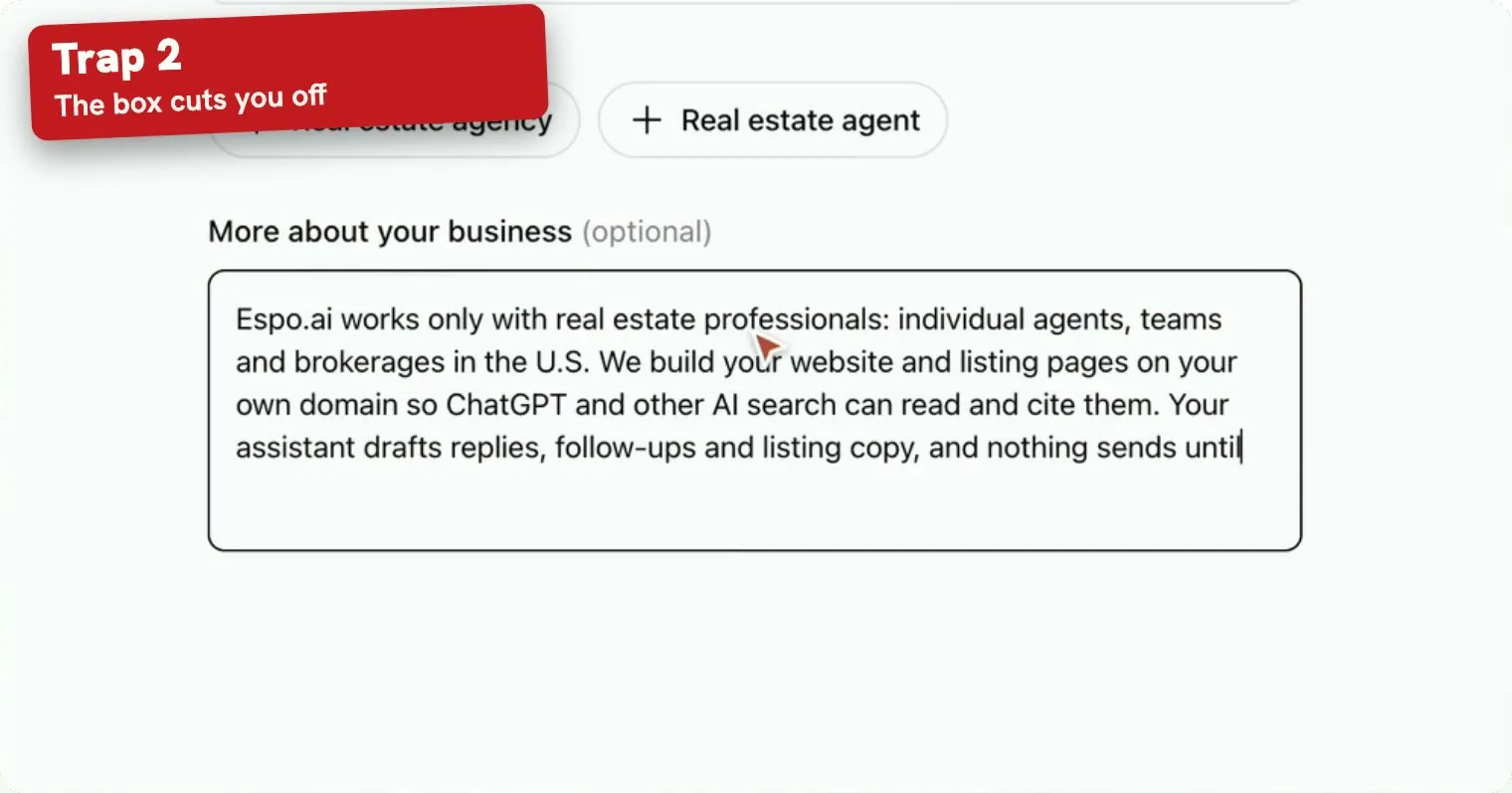
The description box holds 300 characters and quietly stops there. Mine ended mid-sentence, and nothing on screen told me. Write it somewhere else first, count it, then paste.
Trap 3: Back erases the whole draft
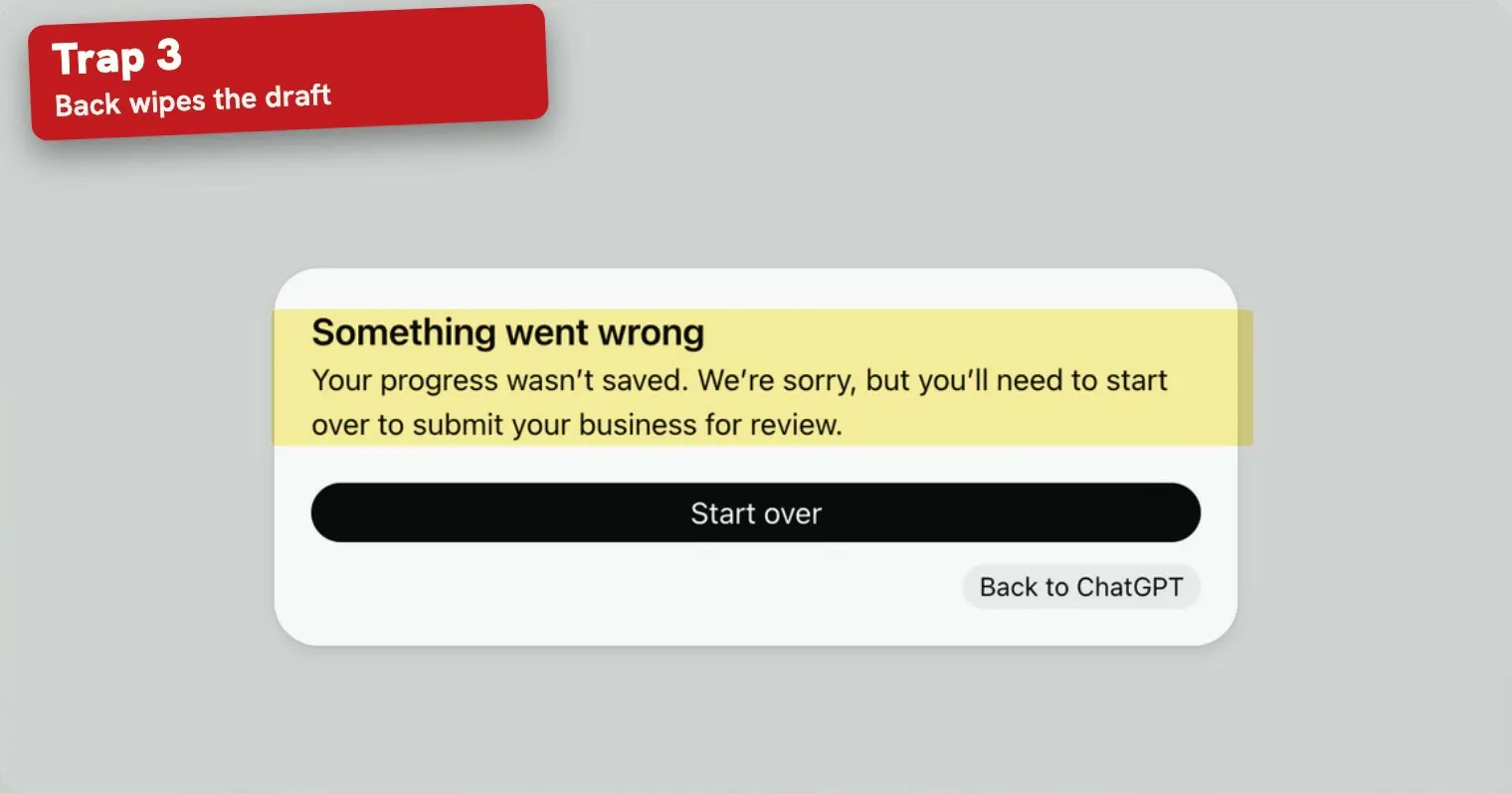
On the contact screen, I clicked Back. Business Hub showed an error, said my progress wasn't saved, and sent me to start over, which meant a brand new DNS record too. Once you're in the form, only go forward.
What happens after you submit
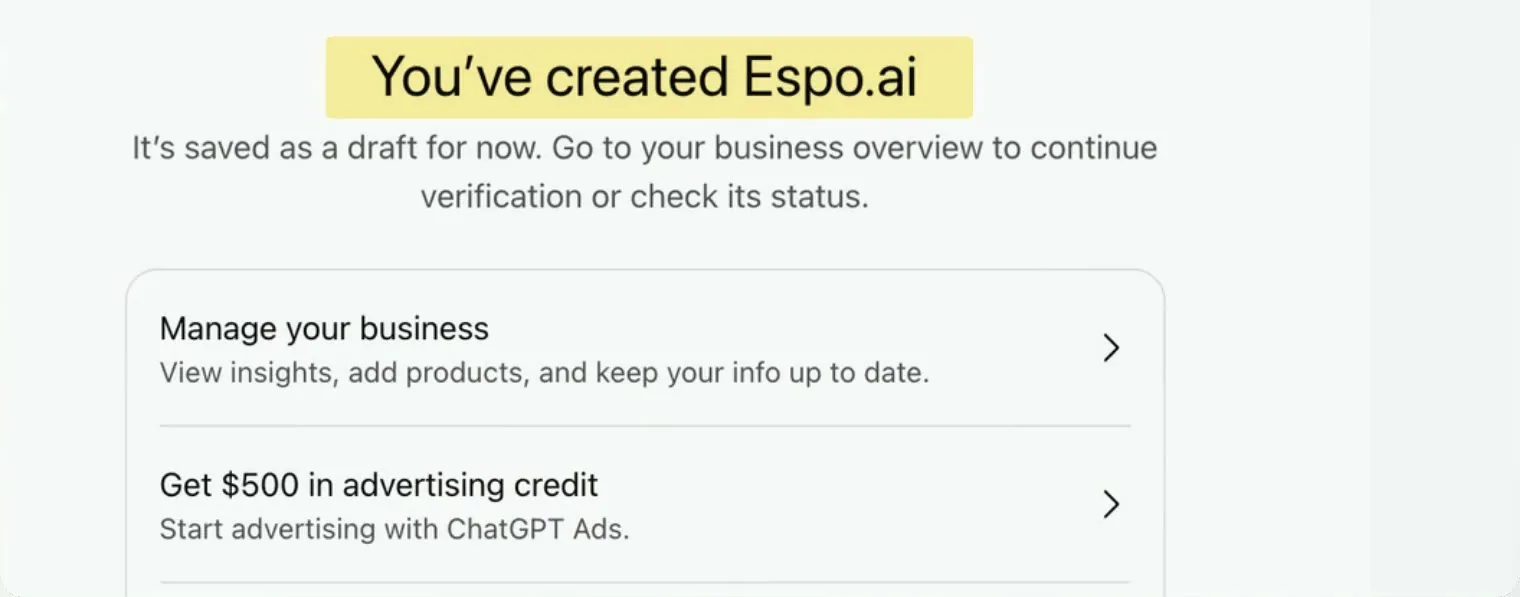
Submitting doesn't publish anything. Mine came back as a draft, and my business list shows it as Pending.
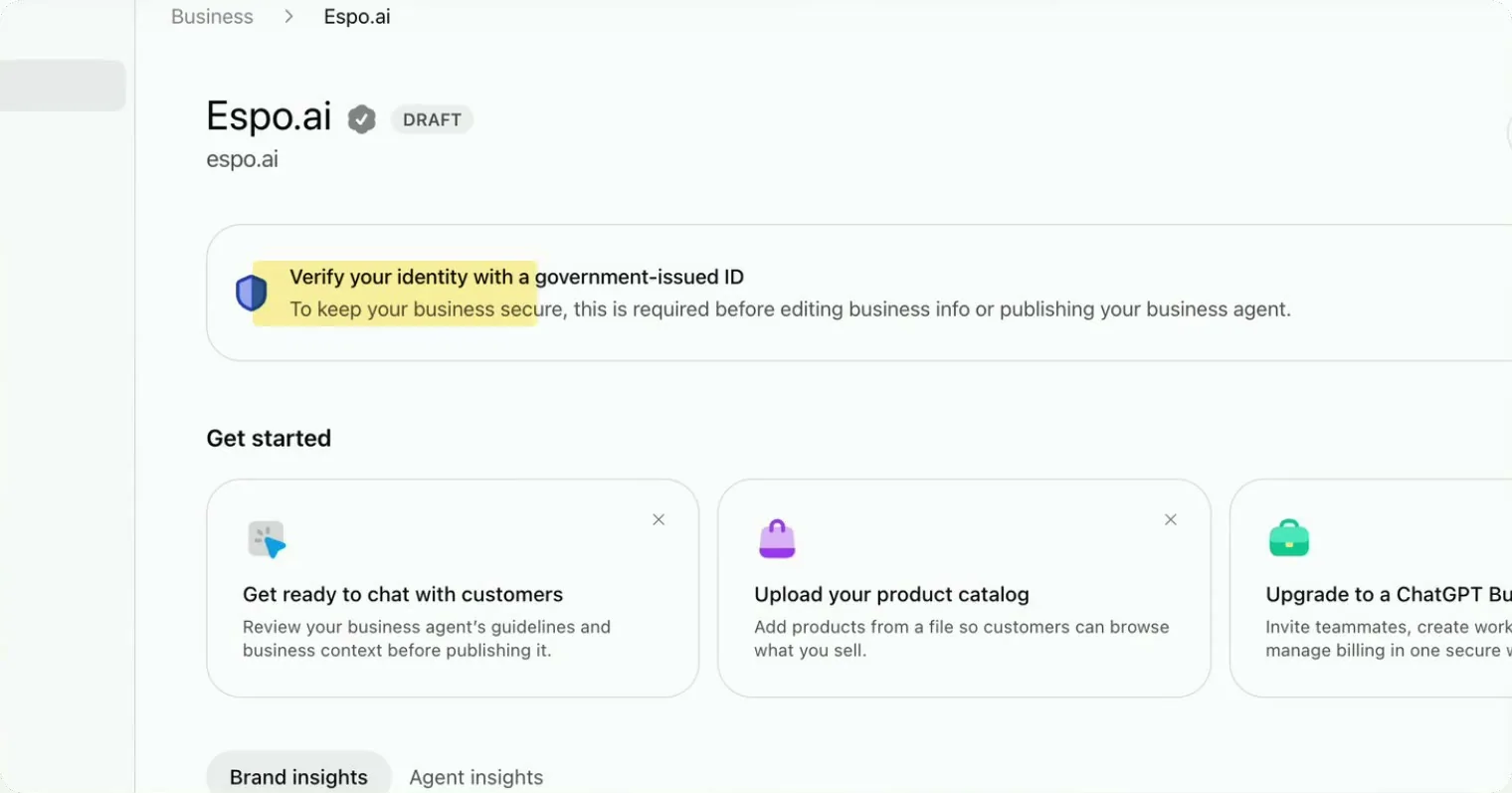
- Next, an ID check. Business Hub asks you to verify your identity with a government-issued ID, through Persona. It's required before you can edit your business info or publish a business agent, and OpenAI's help page says you need it to see insights too. I'm doing mine off camera. As I write this, my listing is still a pending draft. It isn't published.
- Approval publishes a new profile. OpenAI's help page says that for a new profile, approval publishes it, with no extra step. So make the ID check your last move, after you've checked every detail. You can delete a draft, but once a profile is published, support can't delete, unpublish or hide it.
- More editing afterward. Once the ID check clears, you can edit more, like your logo and cover photo. OpenAI reviews edits, and they can take a while to appear.
- Insights. You'll see mentions, website clicks and your top discovery topics, for the last 7 or 28 days. For an online business, ChatGPT has to cite your website for it to count as a mention. Just saying your name doesn't. For a local business, a mention is ChatGPT showing a result for that location. You don't see anyone's individual conversations. Mine has no data yet.
- An ad offer. My finish screen offered $500 of ChatGPT Ads credit. That's an ad product, separate from your listing, and I haven't touched it.
The business agent, and why mine is off
Once your ID check clears, eligible businesses can set up a business agent: a chat inside ChatGPT that answers people's questions about your business. OpenAI is starting with eligible ecommerce and online service businesses in the U.S. Right now it can't take bookings, make purchases or check orders. It answers questions and sends people to your site.
OpenAI's Business Agents Policy sets the rules. Among them, the agent must:
- Tell people it's an AI.
- Never invent prices, credentials, reviews or results.
- Never pressure anyone or fake urgency.
- Never give advice that legally requires a license.
And you're responsible for every word it says.
One more thing from the terms: OpenAI may put together a draft agent for you before you ask. Building or previewing it doesn't make it public. Publishing does.
Mine stays off for now. Nothing speaks for my business until I've tested it hard.
Questions people ask
Is ChatGPT Business Hub free?
Yes. It costs nothing to claim or create your listing, and you don't need an ads account. If you're offered ad credit, that's a separate, optional ad product.
How do I add my business to ChatGPT?
Open chatgpt.com/business-hub and search your name. If nothing matches, click Create and follow steps 3 to 5. OpenAI says claiming opens first to eligible businesses with a website, and local stores and restaurants can currently claim only an existing U.S. listing.
Will claiming get me more customers or mentions?
No one can promise that, and OpenAI's terms don't. Claiming puts your own facts in front of ChatGPT. It can still draw on other sources.
Someone else claimed my business. What now?
OpenAI's help page says to open the profile, click the more options menu (•••), choose Dispute ownership, and verify with Persona.
Can I take my listing down later?
You can delete it while it's an unpublished draft. After it's published, support can't delete, unpublish or hide it, and OpenAI can keep a listing about your business either way.
Know a business owner who hasn't checked their listing yet? Send them this. Do them a solid.
Sources, as of November 11, 2026: OpenAI, "Introducing Businesses in ChatGPT" (November 10, 2026); OpenAI Help Center, "Setting up your business on ChatGPT"; Businesses in ChatGPT Terms (updated November 9, 2026); Business Agents Policy (updated November 10, 2026). Everything else comes from my own claim that day. Business Hub is a beta, so check what yours shows.
Want the claim checklist? I'm putting every step and every trap, in order, in my Skool community. Join my community. That's where you'll find all my downloads and, more importantly, me.
Keep going