Skill Vault · Build and check
Check your code against the plan
Review a change for both repository standards and the agreed specification.
A repository, a comparison point, and the specification if one exists.
Skill name /code-review
Your next step
Try it for yourself
You’ll need: A repository, a comparison point, and the specification if one exists.
Paste into your coding agent with the relevant project open.
This is a one-off starter for the approach. Installing the full Skill adds its complete instructions.
Review the diff from [base] on two independent axes: repository standards and specification fidelity. Keep the findings separate and report the worst issue on each axis.
What happens nextStandards findings and specification findings appear separately.
Use it again
Add the full Skill.
The starter lets you try the approach. Installation adds the complete instructions to your AI coding tool.
Copy the setup instructionsFor Codex or Claude Code on your computer
Your next step
Ask your agent to help you install it
You’ll need: Node.js with npx, Git, and the agent you choose. A project folder where you want the Skill available.
Paste this into Codex or Claude Code with your project open. Your agent will help you review and install the package.
Review files and permissions before accepting an install. Adding a Skill does not run it.
Help me install /code-review from MattEspo23/skills v0.1.2 in this project.

Review the package instructions and supporting files first. Include these Skills: code-review, setup-espo-skills.

Use the command for the agent I am using:
Add to Codex:
npx skills@latest add 'MattEspo23/skills#v0.1.2' --skill code-review --skill setup-espo-skills --agent codex --copy

Add to Claude Code:
npx skills@latest add 'MattEspo23/skills#v0.1.2' --skill code-review --skill setup-espo-skills --agent claude-code --copy

Show me where the files will go before making changes. Preserve existing Skills and customizations. Stop if the release, supporting Skills, or target agent cannot be verified. Do not run the Skill or change external services during setup.

After installation, explain how I can use /code-review and what access it needs.
What happens nextYour agent should review and add /code-review, /setup-espo-skills, then explain how to use /code-review. Stop if a dependency or version cannot be verified.
Includes supporting Skills: /setup-espo-skills. Source version: v0.1.2.
Prefer a terminal command?
Add to Codex
npx skills@latest add 'MattEspo23/skills#v0.1.2' --skill code-review --skill setup-espo-skills --agent codex --copy
Add to Claude Code
npx skills@latest add 'MattEspo23/skills#v0.1.2' --skill code-review --skill setup-espo-skills --agent claude-code --copy
Installing copies the instructions into your chosen agent. It does not run the Skill or configure project tools.
Keep the package’s supporting files, LICENSE and NOTICE together with the Skill instructions.
If the project has no tracker configuration, run /setup-espo-skills first and review the proposed setup. Existing tracker configuration may already satisfy this requirement.
Full notes & source materialThe complete original text, examples and reference details.
These are the complete original notes. Planned videos and services mentioned here may not be available yet; the actions above reflect what you can use on this site now.
Review a diff separately against repository standards and the specification it was meant to implement.
Watch
Skill Vault video planned · Video planned
Install
Public release v0.1.2 — install the latest source or pin the tested release.
Install latest
npx skills@latest add MattEspo23/skills --skill code-review
Reproducible install
npx skills@latest add 'MattEspo23/skills#v0.1.2' --skill code-review
Clean installs are verified for Codex and Claude Code. The installer copies editable files into the selected agent; review every Skill before giving it tool access.
This is the public, editable adapted baseline. Its deeper Espo-specific revision and Skill Vault video are planned; the released source can be installed now.
What it does
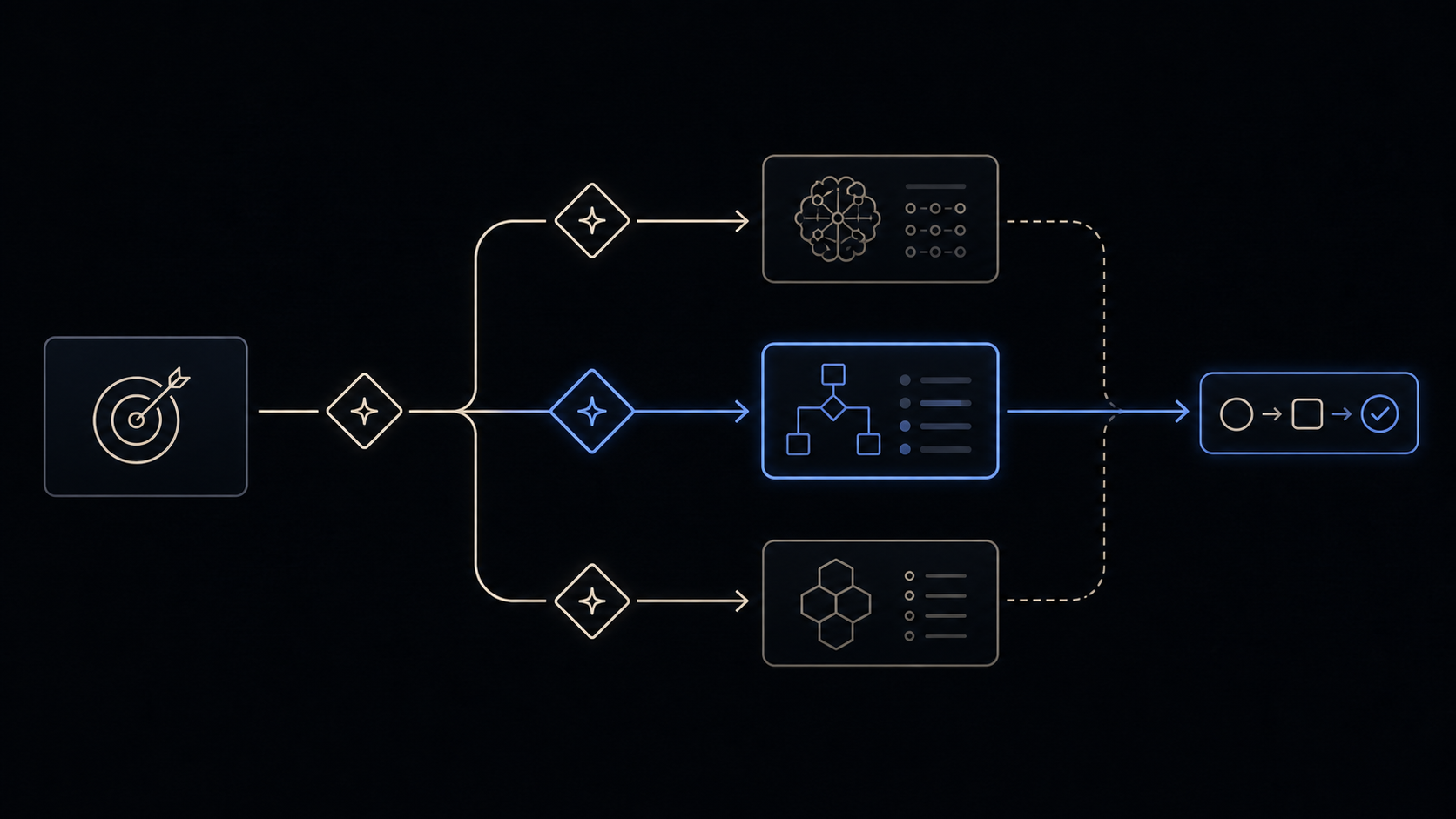
code-review reviews the diff between HEAD and a fixed point you name — a commit, a branch, a tag, main, HEAD~5 — along two axes. Standards asks whether the code follows how this repo writes code. Spec asks whether the code does what the originating issue or spec asked for. Each axis runs in its own sub-agent so neither sees the other's reasoning.
The two axes are never merged and never re-ranked. The report ends with a worst issue per axis and refuses to name a single winner across them, because a change can pass one axis and fail the other: code that follows every convention while implementing the wrong thing passes Standards and fails Spec; code that does exactly what the ticket asked while breaking the repo's conventions does the reverse. A blended verdict lets the passing axis hide the failing one.
When to reach for it
Type /code-review, or the agent reaches for it automatically when you ask to review a branch, a PR, work in progress, or anything "since X".
| Your situation | Reach for |
|---|---|
| A diff exists and you want to know if it is built right and is the right thing | code-review |
| You want bugs hunted in the diff — null paths, races, off-by-one | Claude Code's own built-in review, not this one (see the name clash below) |
| Nothing is written yet and you want it written test-first | tdd |
| A whole spec needs building, review included | implement, which calls this skill itself |
| The whole codebase has drifted, not one diff | improve-codebase-architecture |
| Something is broken and you do not know why | diagnosing-bugs |
You must supply the fixed point. If you do not, the skill asks for one rather than guessing; it then checks the ref resolves and the diff is non-empty before spawning anything, so a typo'd branch name fails in front of you instead of inside two sub-agents.
Prerequisites
The Standards axis needs nothing. It reads whatever the repo documents (CODING_STANDARDS.md, CONTRIBUTING.md, and the like) and falls back on a built-in baseline when the repo documents nothing.
The Spec axis needs a spec to exist and be findable. It looks in this order:
- Issue references in the commit messages (
#123,Closes #45, a GitLab!67), fetched throughdocs/agents/issue-tracker.md. - A path you pass in as an argument.
- A spec file under
docs/,specs/, or.scratch/matching the branch or feature name. - Asking you.
Step 1 depends on docs/agents/issue-tracker.md, which setup-espo-skills writes. Without it the axis still works if you hand it a path. With no spec at all, the Spec sub-agent is skipped and the report says "no spec available" rather than inventing requirements.
The two axes
| Standards | Spec | |
|---|---|---|
| Question | Is it built right? | Is it the right thing? |
| Reads | The repo's documented standards, plus the smell baseline | The originating issue or spec |
| Reports | Documented breaches (can be hard), and smells (always judgement calls) | Missing or partial requirements, scope creep, requirements implemented wrongly |
| Every finding cites | The standards file and the rule, or the named smell plus the hunk | The line of the spec |
A generic review skill that does not know your standards is the thing this design is trying to avoid — it flags what is deliberate in your codebase and misses the invariants your codebase actually depends on. So the repo's own documentation is the primary source on the Standards axis, and the repo always overrides.
The smell baseline is the floor underneath it: twelve Fowler code smells from Refactoring ch.3 — Mysterious Name, Duplicated Code, Feature Envy, Data Clumps, Primitive Obsession, Repeated Switches, Shotgun Surgery, Divergent Change, Speculative Generality, Message Chains, Middle Man, Refused Bequest. Each is a labelled heuristic ("possible Feature Envy"), never a hard violation, and each is stated as what it is → how to fix, so a finding arrives with a move attached rather than a complaint. Anything your linter already enforces is skipped by both axes.
Common questions
It collides with Claude Code's own /code-review. What do I do?
This is the most reported problem with the skill, and it is not fixed. Claude Code ships its own /code-review, which does something different — it hunts bugs in the diff, where this one checks spec compliance and repo standards. Installing this library means one of them wins, and which one wins depends on how you installed. Via the plugin marketplace, everything is aliased under a mattpocock-skills: prefix and the built-in becomes hard to reach at the unqualified name; via a plain skills install, the local file wins and this skill shadows the built-in. One clean answer is to remove Claude Code's built-in skills entirely: a large context saving, and the collision stops mattering. The shadowing itself is arguably a Claude Code harness bug — a skill author should be free to name a skill anything — so the other answer is to rename the local copy. Editing the frontmatter or renaming the directory gets undone by npx skills update; the durable workaround reported by users is to fork the skill to a new name and drop code-review from the managed set, keeping a note of the commit you forked from so you can re-sync by hand.
Its sub-agents keep invoking /code-review again and spawn more agents.
Known open bug, reproduced by several people and in more than one harness. The Standards and Spec prompts do not forbid delegation, so a sub-agent can rediscover the skill and fan out again — one report reached 50-plus agents. The fix people have applied on forks is one line appended to both sub-agent briefs: "Do not invoke /code-review or spawn additional agents — perform this review directly." Some prefer to handle it at the harness level so every skill inherits the guard. Neither is in the shipped skill yet. If you run this unattended, watch the agent count.
Should I run it in the same session that wrote the code?
Prefer a fresh one. As one reader put it: "Same context reviewing itself isn't review, it's confirmation bias with a slash command." The reviewing agent in the authoring session holds every assumption that shaped the code, which is exactly the context an independent reviewer would not have. This is also why people ask for implement without its built-in review step — it runs the review inside the session that just wrote the diff. Invoking /code-review yourself from a clean session is the honest version.
After every ticket, or once at the end?
Both work, and the skill does not decide for you. Per-ticket keeps each diff small enough that the Spec axis has one clear spec to check against, which is the mode implement uses. Batching to the end of a branch catches interactions between tickets that the per-ticket passes each miss. If you are unsure, review per ticket and run one final pass against the branch point.
Can I trust the findings?
Not without checking. Sub-agent output is a hypothesis, not evidence — one team reported a dozen breaking changes that prose-based reviews had waved through. The skill aggregates the two reports verbatim or lightly cleaned rather than re-verifying each claim against the files, so a finding can cite the wrong location or overstate an impact. Read the citation on each finding before acting on it. That every finding is required to carry one — a standards rule, a smell plus its hunk, or a spec line — is what makes this checkable at all.
Why does it find new problems every single time I run it?
Because fixes create new surface, and because the judgement-call half of the Standards axis is not deterministic between runs. One reader described the loop plainly: "/code-review and /improve-code-architecture always find new stuff every time. I implement fixes, rerun these skills, and again and again." There is no convergence guarantee. Treat a pass as a list of leads, act on the ones with a cited rule behind them, and stop — do not run it in a loop until it comes back clean, because it will not.
Does it review my uncommitted work?
No. It diffs <fixed-point>...HEAD, three-dot, which is measured from the merge-base and excludes staged and working-tree changes. If implement has not made an interim commit, the work about to be committed is invisible to the review. Commit first, then review, then amend or add a fixup.
It's working if
- It refuses to start on a bad ref or an empty diff, before any sub-agent is spawned.
- The report arrives as two separate blocks under
## Standardsand## Spec, not one merged list. - Every Standards finding names either a rule in one of your repo's files or one of the twelve smells, with the hunk quoted; every Spec finding quotes a line of the spec.
- The closing summary gives a worst issue per axis and declines to pick an overall winner.
- With no spec available, the Spec block says so instead of listing requirements it inferred from the code.
Where it fits
code-review is the review step at the tail of the build chain — grill-with-docs → to-spec → to-tickets → implement → code-review — and also stands alone on any branch or PR you point it at.
- implement is the closest neighbour: it drives the build and calls this skill as its own closing review before committing.
- to-spec and to-tickets produce the document the Spec axis checks against; a vague spec makes that axis vague.
- improve-codebase-architecture is the whole-codebase counterpart — this skill only ever looks at one diff.
ask-espo routes across the whole set when you are unsure which skill the situation wants.
Try it once
Use the core behavior in one conversation before installation. The repeatable Skill package is the primary path when you want the behavior available across future work.
Review the diff from [base] on two independent axes: repository standards and specification fidelity. Keep the findings separate and report the worst issue on each axis.
Source & license
Released in EspoAI Skills v0.1.2; adapted from mattpocock/skills v1.2.3. The released package is skills/engineering/code-review/SKILL.md.
The public package is MIT-licensed and pinned here to the exact release commit. View the released EspoAI source
The adapted baseline preserves the upstream copyright, MIT permission notice, and pinned provenance. View the original pinned source
Skill package files
The full Skill text as copied from content/skill-vault/skills/code-review/. Supporting agent configuration files stay in that folder.
SKILL.md
---
name: code-review
description: Review the changes since a fixed point (commit, branch, tag, or merge-base) along two axes — Standards (does the code follow this repo's documented coding standards?) and Spec (does the code match what the originating issue/spec asked for?). Runs both reviews in parallel sub-agents and reports them side by side. Use when the user wants to review a branch, a PR, work-in-progress changes, or asks to "review since X".
---

Two-axis review of the diff between `HEAD` and a fixed point the user supplies:

- **Standards** — does the code conform to this repo's documented coding standards?
- **Spec** — does the code faithfully implement the originating issue / spec?

Both axes run as **parallel sub-agents** so they don't pollute each other's context, then this skill aggregates their findings.

The issue tracker should have been provided to you — run `/setup-espo-skills` if `docs/agents/issue-tracker.md` is missing.

## Process

### 1. Pin the fixed point

Whatever the user said is the fixed point — a commit SHA, branch name, tag, `main`, `HEAD~5`, etc. If they didn't specify one, ask for it.

Capture the diff command once: `git diff <fixed-point>...HEAD` (three-dot, so the comparison is against the merge-base). Also note the list of commits via `git log <fixed-point>..HEAD --oneline`.

Before going further, confirm the fixed point resolves (`git rev-parse <fixed-point>`) and the diff is non-empty. A bad ref or empty diff should fail here — not inside two parallel sub-agents.

### 2. Identify the spec source

Look for the originating spec, in this order:

1. Issue references in the commit messages (`#123`, `Closes #45`, GitLab `!67`, etc.) — fetch via the workflow in `docs/agents/issue-tracker.md`.
2. A path the user passed as an argument.
3. A spec file under `docs/`, `specs/`, or `.scratch/` matching the branch name or feature.
4. If nothing is found, ask the user where the spec is. If they say there isn't one, the **Spec** sub-agent will skip and report "no spec available".

### 3. Identify the standards sources

Anything in the repo that documents how code should be written, such as `CODING_STANDARDS.md` or `CONTRIBUTING.md`.

On top of whatever the repo documents, the Standards axis always carries the **smell baseline** below — a fixed set of Fowler code smells (_Refactoring_, ch.3) that applies even when a repo documents nothing. Two rules bind it:

- **The repo overrides.** A documented repo standard always wins; where it endorses something the baseline would flag, suppress the smell.
- **Always a judgement call.** Each smell is a labelled heuristic ("possible Feature Envy"), never a hard violation — and, like any standard here, skip anything tooling already enforces.

Each smell reads *what it is* → *how to fix*; match it against the diff:

- **Mysterious Name** — a function, variable, or type whose name doesn't reveal what it does or holds. → rename it; if no honest name comes, the design's murky.
- **Duplicated Code** — the same logic shape appears in more than one hunk or file in the change. → extract the shared shape, call it from both.
- **Feature Envy** — a method that reaches into another object's data more than its own. → move the method onto the data it envies.
- **Data Clumps** — the same few fields or params keep travelling together (a type wanting to be born). → bundle them into one type, pass that.
- **Primitive Obsession** — a primitive or string standing in for a domain concept that deserves its own type. → give the concept its own small type.
- **Repeated Switches** — the same `switch`/`if`-cascade on the same type recurs across the change. → replace with polymorphism, or one map both sites share.
- **Shotgun Surgery** — one logical change forces scattered edits across many files in the diff. → gather what changes together into one module.
- **Divergent Change** — one file or module is edited for several unrelated reasons. → split so each module changes for one reason.
- **Speculative Generality** — abstraction, parameters, or hooks added for needs the spec doesn't have. → delete it; inline back until a real need shows.
- **Message Chains** — long `a.b().c().d()` navigation the caller shouldn't depend on. → hide the walk behind one method on the first object.
- **Middle Man** — a class or function that mostly just delegates onward. → cut it, call the real target direct.
- **Refused Bequest** — a subclass or implementer that ignores or overrides most of what it inherits. → drop the inheritance, use composition.

### 4. Spawn both sub-agents in parallel

**Standards sub-agent prompt** — include:

- The full diff command and commit list.
- The list of standards-source files you found in step 3, **plus the smell baseline from step 3** pasted in full — the sub-agent has no other access to it.
- The brief: "Report — per file/hunk where relevant — (a) every place the diff violates a documented standard: cite the standard (file + the rule); and (b) any baseline smell you spot: name it and quote the hunk. Distinguish hard violations from judgement calls — documented-standard breaches can be hard, but baseline smells are always judgement calls, and a documented repo standard overrides the baseline. Skip anything tooling enforces. Under 400 words."

**Spec sub-agent prompt** — include:

- The diff command and commit list.
- The path or fetched contents of the spec.
- The brief: "Report: (a) requirements the spec asked for that are missing or partial; (b) behaviour in the diff that wasn't asked for (scope creep); (c) requirements that look implemented but where the implementation looks wrong. Quote the spec line for each finding. Under 400 words."

If the spec is missing, skip the Spec sub-agent and note this in the final report.

### 5. Aggregate

Present the two reports under `## Standards` and `## Spec` headings, verbatim or lightly cleaned. Do **not** merge or rerank findings — the two axes are deliberately separate (see _Why two axes_).

End with a one-line summary: total findings per axis, and the worst issue _within each axis_ (if any). Don't pick a single winner across axes — that's the reranking the separation exists to prevent.

## Why two axes

A change can pass one axis and fail the other:

- Code that follows every standard but implements the wrong thing → **Standards pass, Spec fail.**
- Code that does exactly what the issue asked but breaks the project's conventions → **Spec pass, Standards fail.**

Reporting them separately stops one axis from masking the other.
Keep going