Skill Vault · Organize your work
Break a plan into useful pieces of work
Make small tickets that each demonstrate a behavior and name their blockers.
A settled plan or specification.
Skill name /to-tickets
Your next step
Try it for yourself
You’ll need: A settled plan or specification.
Paste into an AI conversation after adding your own context.
This is a one-off starter for the approach. Installing the full Skill adds its complete instructions.
Break this plan into small vertical tickets. Each ticket must produce a demonstrable behavior and declare what blocks it. Avoid layer-only tickets.
What happens nextEach proposed ticket names a demonstrable result and what must happen first.
Use it again
Add the full Skill.
The starter lets you try the approach. Installation adds the complete instructions to your AI coding tool.
Copy the setup instructionsFor Codex or Claude Code on your computer
Your next step
Ask your agent to help you install it
You’ll need: Node.js with npx, Git, and the agent you choose. A project folder where you want the Skill available.
Paste this into Codex or Claude Code with your project open. Your agent will help you review and install the package.
Review files and permissions before accepting an install. Adding a Skill does not run it.
Help me install /to-tickets from MattEspo23/skills v0.1.2 in this project.

Review the package instructions and supporting files first. Include these Skills: to-tickets, setup-espo-skills.

Use the command for the agent I am using:
Add to Codex:
npx skills@latest add 'MattEspo23/skills#v0.1.2' --skill to-tickets --skill setup-espo-skills --agent codex --copy

Add to Claude Code:
npx skills@latest add 'MattEspo23/skills#v0.1.2' --skill to-tickets --skill setup-espo-skills --agent claude-code --copy

Show me where the files will go before making changes. Preserve existing Skills and customizations. Stop if the release, supporting Skills, or target agent cannot be verified. Do not run the Skill or change external services during setup.

After installation, explain how I can use /to-tickets and what access it needs.
What happens nextYour agent should review and add /to-tickets, /setup-espo-skills, then explain how to use /to-tickets. Stop if a dependency or version cannot be verified.
Includes supporting Skills: /setup-espo-skills. Source version: v0.1.2.
Prefer a terminal command?
Add to Codex
npx skills@latest add 'MattEspo23/skills#v0.1.2' --skill to-tickets --skill setup-espo-skills --agent codex --copy
Add to Claude Code
npx skills@latest add 'MattEspo23/skills#v0.1.2' --skill to-tickets --skill setup-espo-skills --agent claude-code --copy
Installing copies the instructions into your chosen agent. It does not run the Skill or configure project tools.
Keep the package’s supporting files, LICENSE and NOTICE together with the Skill instructions.
If the project has no tracker configuration, run /setup-espo-skills first and review the proposed setup. Existing tracker configuration may already satisfy this requirement.
Full notes & source materialThe complete original text, examples and reference details.
These are the complete original notes. Planned videos and services mentioned here may not be available yet; the actions above reflect what you can use on this site now.
Split a specification into tracer-bullet tickets with explicit blocking relationships.
Watch
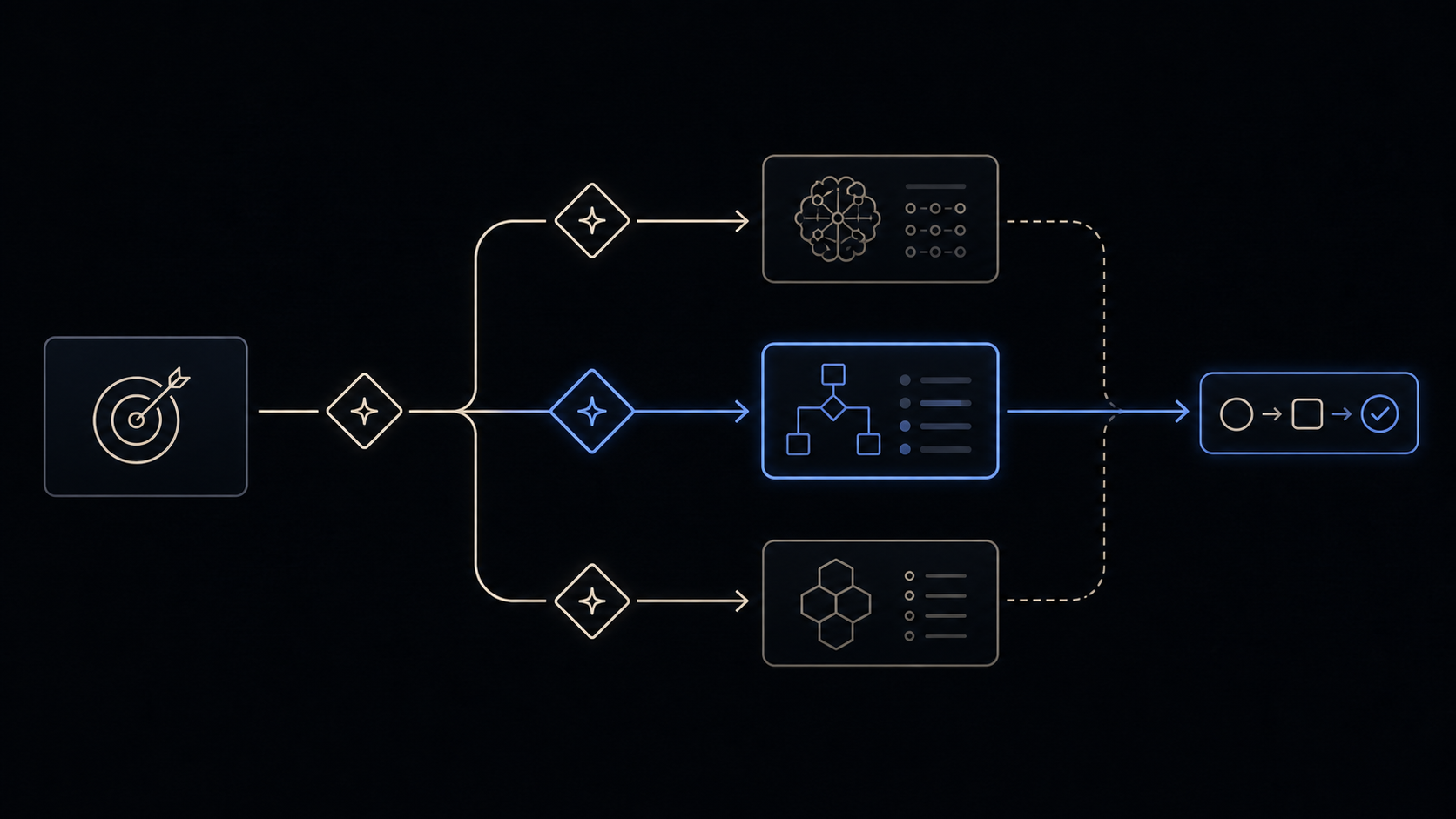
Skill Vault video planned · Video planned
Install
Public release v0.1.2 — install the latest source or pin the tested release.
Install latest
npx skills@latest add MattEspo23/skills --skill to-tickets
Reproducible install
npx skills@latest add 'MattEspo23/skills#v0.1.2' --skill to-tickets
Clean installs are verified for Codex and Claude Code. The installer copies editable files into the selected agent; review every Skill before giving it tool access.
This is the public, editable adapted baseline. Its deeper Espo-specific revision and Skill Vault video are planned; the released source can be installed now.
What it does
to-tickets takes a plan, a spec, or the conversation you are in, and breaks it into a set of tickets on your issue tracker. Each ticket declares its blocking edges — the other tickets that have to finish before it can start.
Every ticket is a tracer bullet: a narrow but complete path through every layer of the change — schema, API, UI, tests — that can be demoed on its own the moment it lands. That is the constraint that makes it behave differently from the obvious way to split work, which is to cut one layer at a time and integrate at the end. It also sizes each ticket to fit in a single fresh context window, because the thing that will pick the ticket up is a session that has never seen your spec.
When to reach for it
You invoke this by typing /to-tickets — the agent won't reach for it on its own.
| Where you are | What to run |
|---|---|
| You have a spec issue and the build spans several sessions | /to-tickets, or /to-tickets #<spec_issue> |
| The plan is only in the conversation, never written up | /to-tickets reads the thread directly — no spec needed |
| The whole change fits in one context window | implement — skip the tickets |
| Nothing is decided yet | grill-with-docs, then to-spec |
| A wayfinder map has cleared | to-spec first, to collapse the map, then /to-tickets |
Tickets that to-tickets produced are agent-ready by construction. Don't run triage over them — triage is for work that arrived from someone else.
Prerequisites
to-tickets publishes into a tracker, so setup-espo-skills must have configured one for this repo, along with the triage-label vocabulary. Either kind works: a real tracker like GitHub or Linear, or local markdown files under .scratch/, which is supported out of the box.
Tracer bullets, not layers
A horizontal slice ships one layer of the change. Nothing works until every layer has landed, and each ticket's acceptance criteria have to reach into work that another ticket owns. A vertical slice — the tracer bullet — ships one thin path through all the layers at once, so it is verifiable alone and owns everything it grades.
This is the rule people break most often, and the consequences are well documented. One team ran a 26-ticket stack sliced by layer — corpus, producer, aggregator, selector — and got roughly twenty agent runs per closed ticket, about three quarters of them rework. Their own post-mortem traced every failure class back to the horizontal slicing rather than to the implementations.
Two things happen before anything is published. to-tickets looks for prefactoring — "make the change easy, then make the easy change" — and orders that work first. Then it presents the breakdown as a numbered list and quizzes you on it: is the granularity right, are the blocking edges real, should anything merge or split. Nothing reaches the tracker until you approve, and that quiz is the place to push back.
Blocking edges
The edges are the point of the artifact. They read two ways depending on the tracker:
| Tracker | Where the edges live | How you work them |
|---|---|---|
| Local markdown | Text in one file per ticket under .scratch/<feature>/issues/<NN>-<slug>.md, numbered blockers-first | Top to bottom, by hand |
| A real tracker (GitHub, Linear) | Native blocking links, or sub-issues where the tracker has them | Any ticket whose blockers are done is on the frontier and can be grabbed |
The edges live in the ticket either way. The medium only decides whether anything can act on them in parallel. to-tickets produces the artifact; running it — one session at a time, or a fleet — is your job, not the skill's.
The wide-refactor exception
One shape breaks the tracer-bullet rule. A wide refactor is a single mechanical change — rename a column, retype a shared symbol — whose blast radius fans across the whole codebase, so one edit breaks thousands of call sites and no vertical slice can land green.
to-tickets sequences that as expand–contract instead:
- Expand — add the new form beside the old, so nothing breaks.
- Migrate — move call sites over in batches sized by blast radius (per package, per directory), one ticket per batch, each blocked by the expand. CI stays green because the old form still exists.
- Contract — delete the old form once no caller remains, in a ticket blocked by every migrate batch.
Where even the batches can't stay green alone, they share an integration branch and all block a final integrate-and-verify ticket. Green is promised only there.
Common questions
It produced twelve tickets for a three-line change. Over-decomposition is the most reported friction on this skill, and it is consistent across practitioners: the model defaults to atomic units and loses the grouping that would make them meaningful. The quiz step exists for exactly this — ask it to merge, and it will. The deeper answer is that the tickets have a floor: if the whole change fits in one context window, you don't need this skill at all. Go straight to implement.
The tickets came out one per layer — all the schema in one, all the API in another. This is the failure the vertical-slice rule is written against, and the skill still produces it sometimes. Catch it at the quiz step by asking one question per ticket: what can I demo when this is done? A ticket with no answer is a horizontal slice. Some people add a "demo path" line to each ticket for this reason, and report it nudges the model toward vertical decomposition.
On GitHub the tickets weren't created as sub-issues of the spec issue.
Known and unfixed. It has been reported across a dozen runs and several models, most fully in issue #554, and it is worse on Codex than on Claude. gh has supported this natively since v2.94: gh issue create --parent <n>, and gh issue edit <parent> --add-sub-issue <n> after the fact. Until the tracker template prefers those, wiring the parent links yourself after a run is the reliable move.
"Blocked by" was written into the issue body instead of a real blocking link.
Same class of problem, reported in issue #513, where the agent went as far as asserting GitHub has no native blocking relationship at all. It does — gh issue create --blocked-by 12,15. Because blockers are published first, their numbers are always available at creation time. The body text is meant to be the fallback for trackers with no native edge, not the default.
Where do the local tickets go? The v1.1 notes said a root-level tickets.md.
They did, and that was a bug — a single shared file also raced when parallel agents wrote to it. Local mode now writes one file per ticket under .scratch/<feature-slug>/issues/<NN>-<slug>.md, in dependency order, matching the layout the local tracker template already described. The NN prefix is a real ticket ID, so /implement 03 works instead of retyping a long title.
It kept truncating when it tried to read my spec.
A very large spec can outgrow what a tracker issue serves back cleanly, and there is no local copy to fall back on — the agent then burns tool calls re-fetching chunks and never reaches the end. Don't clear or compact between /to-spec and /to-tickets. Run them in the same context window and the spec never has to be fetched back at all.
The acceptance criteria graded nothing — some passed before any work was done. The template asks for criteria and says nothing about whether they can fail, so this happens. Three shapes recur: a criterion already true at the base commit, a criterion that can only be satisfied by work another ticket owns, and one that restates the request rather than deriving from the artifact. Vertical slicing prevents most of it — a slice that delivers behaviour which didn't exist before is red at the base commit by construction — but the check is worth doing by hand. For each criterion, name the observation that would show it false, and confirm it fails at the commit the implementer starts from.
The tickets are published. How do I actually run them? The skill stops at the artifact, and there is no auto-dispatch mode. Dispatch is manual: look at the board, count the tickets with no open blockers, and open that many agent sessions. One ticket per fresh context, cleared between them. Be aware that implement does not reliably close or check off the ticket when it finishes, on GitHub or in local markdown, so the ticket's state is yours to update.
It's working if
- Every ticket has an answer to "what can I demo when this is done?" — and the answer is behaviour, not a layer.
- The list comes back to you numbered, with a "Blocked by" line on each, before anything is published.
- The ticket at the top has no blockers and can be started immediately.
- Nothing in a ticket body is a file path or a line number, except a snippet a prototype produced.
- Each ticket reads like something a fresh session could finish without you in the room.
- Prefactoring, where it found any, is at the front of the order rather than mixed into feature tickets.
Where it fits
to-tickets is a step in the main build chain:
grill-with-docs → to-spec → to-tickets → implement → code-review
Upstream is to-spec, which hands it a settled spec to slice against — keep both in one unbroken context window. Downstream is implement, which builds one ticket per fresh session, driving tdd for the tests and closing with code-review. When you're unsure which skill or flow fits, ask-espo routes you.
Try it once
Use the core behavior in one conversation before installation. The repeatable Skill package is the primary path when you want the behavior available across future work.
Break this plan into small vertical tickets. Each ticket must produce a demonstrable behavior and declare what blocks it. Avoid layer-only tickets.
Source & license
Released in EspoAI Skills v0.1.2; adapted from mattpocock/skills v1.2.3. The released package is skills/engineering/to-tickets/SKILL.md.
The public package is MIT-licensed and pinned here to the exact release commit. View the released EspoAI source
The adapted baseline preserves the upstream copyright, MIT permission notice, and pinned provenance. View the original pinned source
Skill package files
The full Skill text as copied from content/skill-vault/skills/to-tickets/. Supporting agent configuration files stay in that folder.
SKILL.md
---
name: to-tickets
description: Break a plan, spec, or the current conversation into a set of tracer-bullet tickets, each declaring its blocking edges, published to the configured tracker — edges as text in one file per ticket locally, or native blocking links on a real tracker.
---

# To Tickets

Break a plan, spec, or conversation into a set of **tickets** — tracer-bullet vertical slices, each declaring the tickets that **block** it.

The issue tracker and triage label vocabulary should have been provided to you — run `/setup-espo-skills` if not.

## Process

### 1. Gather context

Work from whatever is already in the conversation context. If the user passes a reference (a spec path, an issue number or URL) as an argument, fetch it and read its full body and comments.

### 2. Explore the codebase (optional)

If you have not already explored the codebase, do so to understand the current state of the code. Ticket titles and descriptions should use the project's domain glossary vocabulary, and respect ADRs in the area you're touching.

Look for opportunities to prefactor the code to make the implementation easier. "Make the change easy, then make the easy change."

### 3. Draft vertical slices

Break the work into **tracer bullet** tickets.

<vertical-slice-rules>

- Each slice cuts a narrow but COMPLETE path through every layer (schema, API, UI, tests) — vertical, NOT a horizontal slice of one layer
- A completed slice is demoable or verifiable on its own
- Each slice is sized to fit in a single fresh context window
- Any prefactoring should be done first

</vertical-slice-rules>

Give each ticket its **blocking edges** — the other tickets that must complete before it can start. A ticket with no blockers can start immediately.

**Wide refactors are the exception to vertical slicing.** A **wide refactor** is one mechanical change — rename a column, retype a shared symbol — whose **blast radius** fans across the whole codebase, so a single edit breaks thousands of call sites at once and no vertical slice can land green. Don't force it into a tracer bullet; sequence it as **expand–contract**. First expand: add the new form beside the old so nothing breaks. Then migrate the call sites over in batches sized by blast radius (per package, per directory), each batch its own ticket blocked by the expand, keeping CI green batch to batch because the old form still exists. Finally contract: delete the old form once no caller remains, in a ticket blocked by every migrate batch. When even the batches can't stay green alone, keep the sequence but let them share an integration branch that all block a final integrate-and-verify ticket — green is promised only there.

### 4. Quiz the user

Present the proposed breakdown as a numbered list. For each ticket, show:

- **Title**: short descriptive name
- **Blocked by**: which other tickets (if any) must complete first
- **What it delivers**: the end-to-end behaviour this ticket makes work

Ask the user:

- Does the granularity feel right? (too coarse / too fine)
- Are the blocking edges correct — does each ticket only depend on tickets that genuinely gate it?
- Should any tickets be merged or split further?

Iterate until the user approves the breakdown.

### 5. Publish the tickets to the configured tracker

Publish the approved tickets. **How** depends on the tracker `/setup-espo-skills` configured — the tickets are the same either way, only the shape of the blocking edges changes:

- **Local files** → write one file per ticket under `.scratch/<feature-slug>/issues/<NN>-<slug>.md`, numbered from `01` in dependency order (blockers first). Each file's "Blocked by" lists the numbers/titles it depends on. Use the per-ticket file template below — one ticket per file, never a single combined file.
- **A real issue tracker (GitHub, Linear, …)** → publish one issue per ticket in dependency order (blockers first) so each ticket's blocking edges can reference real identifiers. Use the platform's native blocking / sub-issue relationship where it has one; otherwise set each ticket's "Blocked by" to the blocking issues. Apply the `ready-for-agent` triage label unless instructed otherwise — the tickets are agent-grabbable by construction.

Work the **frontier**: any ticket whose blockers are all done. For a purely linear chain that means top to bottom.

Do NOT close or modify any parent issue.

<local-ticket-template>

# <NN> — <Ticket title>

**What to build:** the end-to-end behaviour this ticket makes work, from the user's perspective — not a layer-by-layer implementation list.

**Blocked by:** the numbers/titles of the tickets that gate this one, or "None — can start immediately".

**Status:** ready-for-agent

- [ ] Acceptance criterion 1
- [ ] Acceptance criterion 2

</local-ticket-template>

<issue-template>

## Parent

A reference to the parent issue on the tracker (if the source was an existing issue, otherwise omit this section).

## What to build

The end-to-end behaviour this ticket makes work, from the user's perspective — not layer-by-layer implementation.

## Acceptance criteria

- [ ] Criterion 1
- [ ] Criterion 2

## Blocked by

- A reference to each blocking ticket, or "None — can start immediately".

</issue-template>

In either form, avoid specific file paths or code snippets — they go stale fast. Exception: if a prototype produced a snippet that encodes a decision more precisely than prose can (state machine, reducer, schema, type shape), inline it and note briefly that it came from a prototype. Trim to the decision-rich parts — not a working demo, just the important bits.
Keep going