Skill Vault · Build and check
Build from a settled plan
Turn an agreed specification into working changes with tests and a final review.
A settled specification and the repository and branch you intend to change.
Skill name /implement
Your next step
Try it for yourself
You’ll need: A settled specification and the repository and branch you intend to change.
Paste into your coding agent with the relevant project open.
This is a one-off starter for the approach. Installing the full Skill adds its complete instructions.
Implement the attached settled specification. Work through observable vertical slices, use test-first feedback at the agreed seams, and finish with a standards-and-spec review before committing.
What happens nextObservable slices are checked, then reviewed against standards and the specification.
Use it again
Add the full Skill.
The starter lets you try the approach. Installation adds the complete instructions to your AI coding tool.
Copy the setup instructionsFor Codex or Claude Code on your computer
Your next step
Ask your agent to help you install it
You’ll need: Node.js with npx, Git, and the agent you choose. A project folder where you want the Skill available.
Paste this into Codex or Claude Code with your project open. Your agent will help you review and install the package.
Review files and permissions before accepting an install. Adding a Skill does not run it.
Help me install /implement from MattEspo23/skills v0.1.2 in this project.

Review the package instructions and supporting files first. Include these Skills: implement, tdd, codebase-design, code-review, setup-espo-skills.

Use the command for the agent I am using:
Add to Codex:
npx skills@latest add 'MattEspo23/skills#v0.1.2' --skill implement --skill tdd --skill codebase-design --skill code-review --skill setup-espo-skills --agent codex --copy

Add to Claude Code:
npx skills@latest add 'MattEspo23/skills#v0.1.2' --skill implement --skill tdd --skill codebase-design --skill code-review --skill setup-espo-skills --agent claude-code --copy

Show me where the files will go before making changes. Preserve existing Skills and customizations. Stop if the release, supporting Skills, or target agent cannot be verified. Do not run the Skill or change external services during setup.

After installation, explain how I can use /implement and what access it needs.
What happens nextYour agent should review and add /implement, /tdd, /codebase-design, /code-review, /setup-espo-skills, then explain how to use /implement. Stop if a dependency or version cannot be verified.
Includes supporting Skills: /tdd, /codebase-design, /code-review, /setup-espo-skills. Source version: v0.1.2.
Prefer a terminal command?
Add to Codex
npx skills@latest add 'MattEspo23/skills#v0.1.2' --skill implement --skill tdd --skill codebase-design --skill code-review --skill setup-espo-skills --agent codex --copy
Add to Claude Code
npx skills@latest add 'MattEspo23/skills#v0.1.2' --skill implement --skill tdd --skill codebase-design --skill code-review --skill setup-espo-skills --agent claude-code --copy
Installing copies the instructions into your chosen agent. It does not run the Skill or configure project tools.
Keep the package’s supporting files, LICENSE and NOTICE together with the Skill instructions.
If the project has no tracker configuration, run /setup-espo-skills first and review the proposed setup. Existing tracker configuration may already satisfy this requirement.
The full Skill commits to the current branch. Open the branch you intend to change before starting it.
Full notes & source materialThe complete original text, examples and reference details.
These are the complete original notes. Planned videos and services mentioned here may not be available yet; the actions above reflect what you can use on this site now.
Build work that has already been decided, using agreed seams, tests, and a final review.
Watch
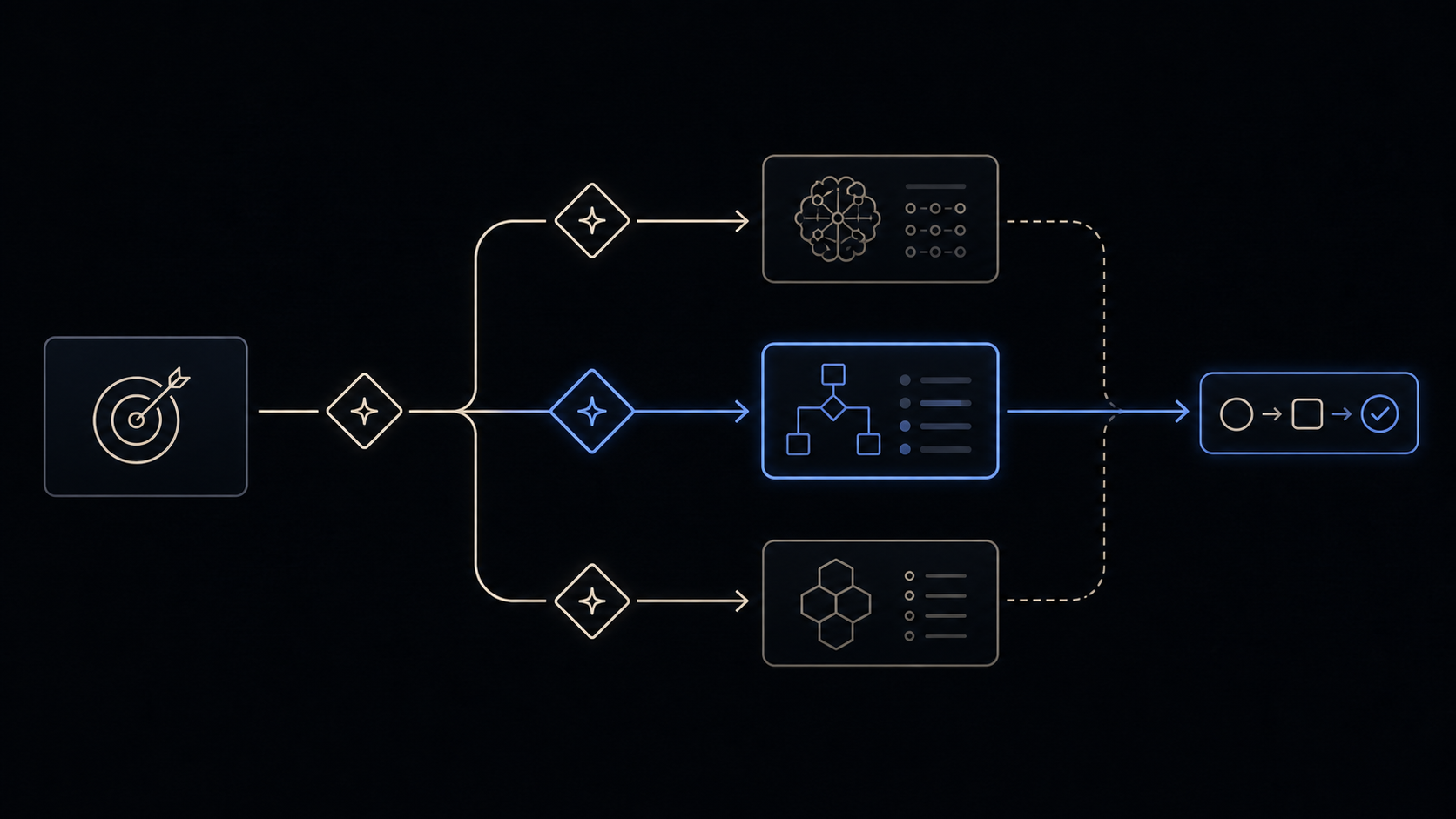
Skill Vault video planned · Video planned
Install
Public release v0.1.2 — install the latest source or pin the tested release.
Install latest
npx skills@latest add MattEspo23/skills --skill implement
Reproducible install
npx skills@latest add 'MattEspo23/skills#v0.1.2' --skill implement
Clean installs are verified for Codex and Claude Code. The installer copies editable files into the selected agent; review every Skill before giving it tool access.
This is the public, editable adapted baseline. Its deeper Espo-specific revision and Skill Vault video are planned; the released source can be installed now.
What it does
implement builds work that has already been decided. You point it at a ticket, a spec, or the plan you just agreed in the conversation, and it writes the code, drives tdd at the seams, typechecks as it goes, runs code-review at the end, and commits to the current branch.
It never reopens the plan. There is no interview, no clarifying round, no proposal of a different approach. Whatever was settled upstream is the input, and the skill's whole job is to turn that into a commit. That is what separates it from typing "build this" at a fresh agent, which will happily redesign the work while it builds it.
When to reach for it
You invoke this by typing /implement — the agent won't reach for it on its own. Its OpenAI metadata keeps implicit invocation off, so no other skill should call it automatically either. Wherever ask-espo or to-tickets says "then /implement per ticket", that is an instruction to you, not something the agent will do unprompted.
Where the work currently lives decides whether this is the right skill:
| The work is… | Reach for |
|---|---|
| A ticket on the tracker | /implement #42, one ticket per session, clearing context between tickets |
| A spec, not yet split up, and the build spans sessions | to-tickets first, then /implement per ticket |
| A spec, and the build is small | /implement directly against the spec |
| Only in the conversation you just had, and it's still small | /implement right there, in the same window |
| Not written down anywhere yet | grill-with-docs, or grill-me if there's no codebase |
| One concrete behaviour you want test-first, with no spec | tdd directly |
| Already built, and you want it checked | code-review directly |
The same-session case is worth naming because the skill's own first line doesn't cover it. SKILL.md says "the spec or tickets", which nudges the model to go hunting for a file that doesn't exist. If the plan lives only in the thread, say so when you invoke it.
Prerequisites
implement commits to the branch you are on. It does not create one, and it does not ask. Check you are on the branch you want the work on before you start.
If the tickets came from to-tickets, the tracker they live on was configured by setup-espo-skills. code-review reads the same configuration to find the originating spec at close-out.
What one run does
A run is five beats, in order:
- Read the ticket or spec and work out the seams.
- Drive tdd at the pre-agreed seams, one red-green slice at a time.
- Typecheck often, run single test files as it goes.
- Run the full test suite once, at the end.
- Run code-review, then commit to the current branch.
One run covers one ticket. The tickets to-tickets produces are tracer-bullet vertical slices sized to fit a single fresh context window, so the intended rhythm is: clear context, implement one ticket, commit, clear again. Each ticket is self-contained, which is what makes the previous ticket's context disposable.
Pre-agreed seams
The idea the skill runs on is the seam: the public boundary you observe behaviour at, without reaching inside. Tests live at seams. Working at a seam agreed before any code is written is what keeps the tests durable, because the implementation underneath can be rewritten without the tests moving.
The word "pre-agreed" is doing real work, and it is also the skill's weakest joint. Nothing inside implement agrees the seams. tdd is the skill that asks, and it refuses to write a test at an unconfirmed seam. So in practice the agreement happens either upstream in the spec, or in the first exchange of the run. If it happens nowhere, the precondition never fires and the run quietly becomes "just write the code". Naming the seams in the spec is what stops that.
Common questions
It finished, but my ticket is still open and the acceptance criteria are still unchecked.
Correct, and expected. implement has no completion step. It ends at the commit and never touches the work item, confirmed on GitHub Issues and on the local markdown tracker, so it is not a tracker integration problem. It also does not act on the findings code-review produced, and does not tick the - [ ] boxes on the originating issue. Close the ticket and reconcile the criteria yourself. This bites hardest on a dependency chain, because to-tickets defines the frontier as tickets whose blockers are all closed. If nothing gets closed, nothing ever becomes visibly unblocked.
Can I point it at all my tickets at once, or run several in parallel?
No. One invocation, one ticket. Batch dispatch across a ticket queue and subagent fan-out are both requested repeatedly, and neither exists. Running several /implement sessions side by side in one checkout is worse than unsupported: one field report describes a git commit --amend in one session landing on another session's commit, a stash vanishing from refs/stash, and commits landing on the wrong branch, all in a single afternoon across three issues. The sessions share one working directory, one index, and one HEAD. Git worktrees are the community workaround, and note that refs/stash is shared across worktrees too, so worktrees alone do not fix the stash case. If you want parallelism today, you are assembling it yourself.
Can it open a pull request instead of committing?
Not built in. It commits straight to the current branch, which several people find too eager: the code lands before they have had a chance to verify it works. There is no configuration flag and no PR mode. People override it in the invocation ("commit to a branch and open a PR") or by editing their local copy of the skill.
code-review says it cannot see my changes.
code-review reviews git diff <fixed-point>...HEAD, which excludes staged and working-tree changes. implement runs it before committing, so unless an interim commit already exists there is nothing in that diff to review. Multiple people have reported this and it is unfixed on both sides. Commit first, then review against the point you branched from.
Separately, some people deliberately do not want the review inside the run at all, because an agent reviewing the code it just wrote is biased toward its own solution. Running code-review in a fresh session against a fixed point is a legitimate alternative, and is the same reason that skill runs its two axes in separate sub-agents.
One ticket burned 150k tokens. Am I using it wrong?
Probably the ticket is too big rather than the skill being misused. A run does codebase exploration, a red-green loop per seam, a full suite, and a review, so a non-trivial ticket exceeding 100k tokens is normal rather than a sign something broke. The lever is upstream: right-size the tickets in to-tickets so each fits one fresh window. If a single ticket keeps blowing out, split it rather than raising the effort level.
/implement #2 in a fresh session worked on something completely unrelated.
#2 is resolved against whatever numbered list the agent can see, which in a fresh session may be a todo file, a checklist, or another work list rather than the configured tracker. The resolution is confident rather than fail-closed, so the mistake is not obvious until it has started. Pass the full reference, the issue URL or owner/repo#2, and ask it to confirm the title back before it begins.
It's working if
- The session opens by reading the ticket or spec and restating what it will build, rather than asking you what to build.
- You can see an actual
/tddinvocation in the trace, not just tests appearing in the diff. - Typechecks and single test files run repeatedly during the run, and the full suite runs once near the end.
- The run reaches a commit on your current branch without you prompting it to carry on.
- The diff is one ticket's worth of change: a vertical slice through every layer, not several tickets swept together.
Where it fits
implement is the build step of the main chain, second from the end:
grill-with-docs → to-spec → to-tickets → implement → code-review
Its neighbours are to-tickets, which produces the tickets it consumes and declares the blocking edges that decide their order; tdd, which it drives internally at each seam; and code-review, which it runs before committing. It sits downstream of the planning skills and trusts them. It does not re-validate the shape of what it was handed, so a badly-structured map or a horizontally-layered ticket gets built as written.
That trust is why wayfinder merges onto the chain at to-spec rather than looping its map straight into implement. Go straight to implement from a map only when the effort turned out genuinely small.
ask-espo is the router over the whole set when you are not sure which flow you are in.
Try it once
Use the core behavior in one conversation before installation. The repeatable Skill package is the primary path when you want the behavior available across future work.
Implement the attached settled specification. Work through observable vertical slices, use test-first feedback at the agreed seams, and finish with a standards-and-spec review before committing.
Source & license
Released in EspoAI Skills v0.1.2; adapted from mattpocock/skills v1.2.3. The released package is skills/engineering/implement/SKILL.md.
The public package is MIT-licensed and pinned here to the exact release commit. View the released EspoAI source
The adapted baseline preserves the upstream copyright, MIT permission notice, and pinned provenance. View the original pinned source
Skill package files
The full Skill text as copied from content/skill-vault/skills/implement/. Supporting agent configuration files stay in that folder.
SKILL.md
---
name: implement
description: "Implement a piece of work based on a spec or set of tickets."
---

Implement the work described by the user in the spec or tickets.

Use /tdd where possible, at pre-agreed seams.

Run typechecking regularly, single test files regularly, and the full test suite once at the end.

Once done, use /code-review to review the work.

Commit your work to the current branch.
Keep going